
Why onClick={() => doThing()} Is Different from onClick={doThing}
React Version

Reviewed a pull request recently for a local project/demo. One of my friends who is also a contributor to that demo changed all the onClick={doThing} to
onClick={() => doThing()}.
Asked why. They said “that’s how the tutorial did it.”
These aren’t the same thing. And understanding the difference matters more than you’d think.
The Thing Everyone Does
Look at any React tutorial. You’ll see both patterns:
// Pattern 1
<button onClick={handleClick}>Click me</button>

// Pattern 2
<button onClick={() => handleClick()}>Click me</button>
Both work. Button clicks, function runs. What’s the difference?
Took me longer than I want to admit to understand this.
What’s Actually Different
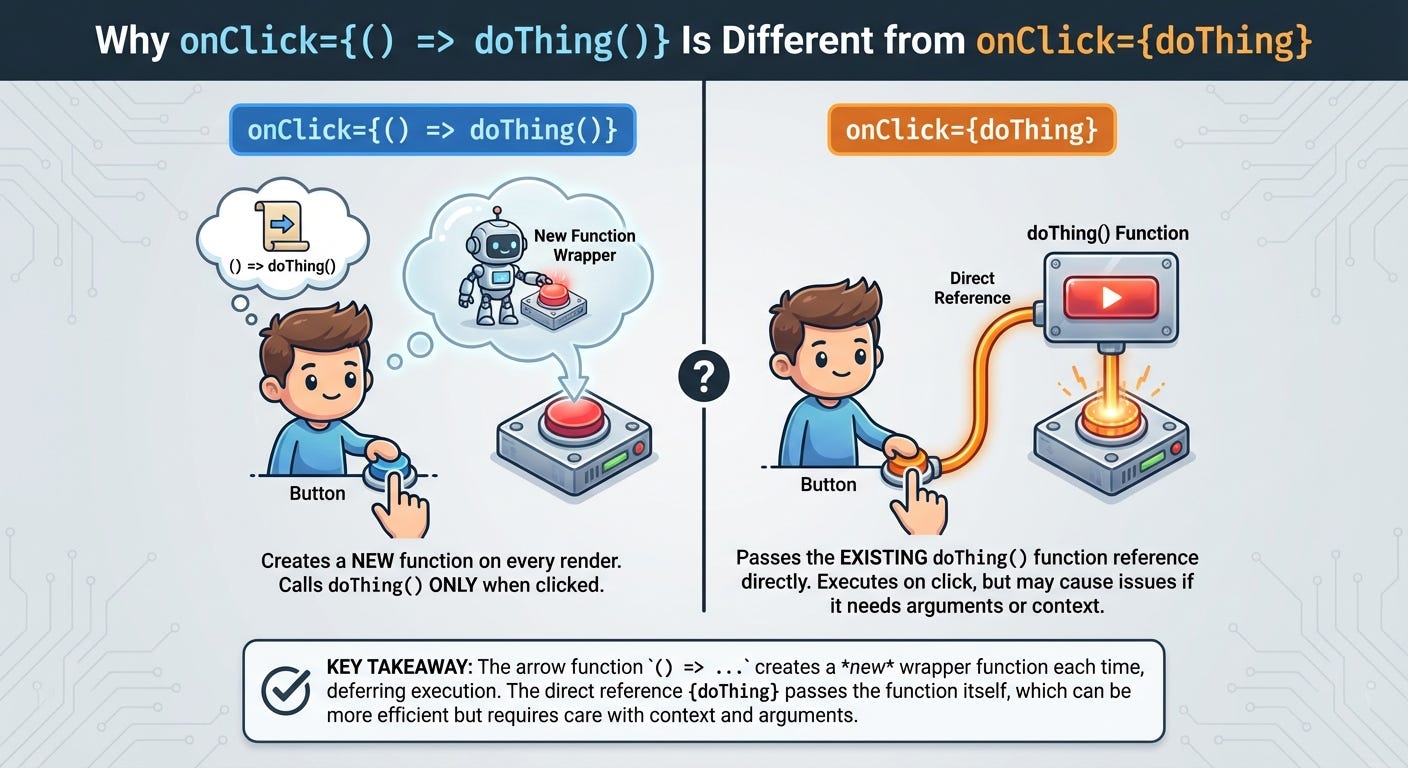
Pattern 1: You’re passing a reference to the function.
<button onClick={handleClick}>React gets the function handleClick. When the button is clicked, React calls that function.
Pattern 2: You’re creating a new function every render.
<button onClick={() => handleClick()}>Every time this component renders, JavaScript creates a brand new arrow function. That arrow function calls handleClick when executed.
Same behavior from the user’s perspective. Completely different from React’s perspective.
The Reference Equality Thing
JavaScript compares functions by reference, not by what they do.
function sayHi() {
  console.log('hi');
}

const a = sayHi;
const b = sayHi;

console.log(a === b); // true - same reference
But arrow functions created inline are new every time:
const a = () => console.log('hi');
const b = () => console.log('hi');

console.log(a === b); // false - different references
Even though they do the exact same thing, they’re not equal.
This matters in React.
When This Actually Matters
Built a component with a memoized child:
const ExpensiveChild = React.memo(({ onClick }) => {
  console.log('Rendering ExpensiveChild');
  return <button onClick={onClick}>Click</button>;
});

function Parent() {
  const [count, setCount] = useState(0);

  const handleClick = () => {
    console.log('Clicked');
  };

  return (
    <div>
      <button onClick={() => setCount(count + 1)}>
        Increment: {count}
      </button>
      <ExpensiveChild onClick={() => handleClick()} />
    </div>
  );
}
Expected: ExpensiveChild only re-renders when its props change.
Reality: It re-renders every time count changes.
Why? The arrow function () => handleClick() is a new function on every render. React.memo sees a different onClick prop each time. Thinks the props changed. Re-renders the child.
This breaks memoization.
The Fix
Pass the function reference directly:
<ExpensiveChild onClick={handleClick} />Now handleClick is the same reference every render. React.memo sees identical props. Skips the re-render.
Or use useCallback:
const handleClick = useCallback(() => {
  console.log('Clicked');
}, []);

return <ExpensiveChild onClick={handleClick} />;
useCallback memoizes the function. Returns the same reference across renders (unless dependencies change).
When You Need The Arrow Function
Sometimes you need to pass arguments:
{items.map(item => (
  <button key={item.id} onClick={() => handleClick(item.id)}>
    {item.name}
  </button>
))}
Can’t do onClick={handleClick(item.id)} - that calls the function immediately during render.
Can’t do onClick={handleClick} - the function doesn’t know which item was clicked.
Need the arrow function to capture item.id.
Alternative using bind:
<button onClick={handleClick.bind(null, item.id)}>But arrow functions are clearer.
Or pass the ID as a data attribute:
<button data-id={item.id} onClick={handleClick}>

function handleClick(e) {
  const id = e.currentTarget.dataset.id;
  // use id
}
More verbose. Sometimes cleaner. Depends on the situation.
The Performance Thing Everyone Worries About
“Creating functions on every render is slow!”
Is it though?
Ran a test. Component with 1000 buttons. Each with an inline arrow function.
{Array(1000).fill(0).map((_, i) => (
  <button key={i} onClick={() => handleClick(i)}>
    Button {i}
  </button>
))}
Re-rendered the component repeatedly. Profiled it.
Difference between arrow functions and direct references? Negligible. Like, barely measurable.
Function creation is cheap. Really cheap. Modern JavaScript engines are fast at this.
The performance issue isn’t the function creation. It’s the unnecessary re-renders of child components when you break memoization.
The Real Problem
Not the arrow function itself. It’s that it breaks React.memo, useMemo, and useCallback optimizations.
const MemoizedList = React.memo(({ onItemClick }) => {
  // Expensive rendering
  return <div>{/* lots of items */}</div>;
});

// Bad - re-renders MemoizedList every time
<MemoizedList onItemClick={() => handleItemClick()} />

// Good - only re-renders when handleItemClick reference changes
<MemoizedList onItemClick={handleItemClick} />
If you’re not using memoization, arrow functions are fine.
If you are using memoization, arrow functions break it.
When I Actually Use Each
Direct reference (onClick={handleClick}):
No arguments needed
Passing to memoized components
The default pattern I use
Arrow function (onClick={() => handleClick()}):
Need to pass arguments
Need to call multiple functions
Component isn’t memoized anyway
useCallback:
Passing functions to memoized components
Function has dependencies that change
Actually measuring performance issues
The Event Handler Pattern
Common pattern I use:
function handleClick(id) {
  return (e) => {
    // e is the event
    // id is captured from closure
    doSomething(id);
  };
}

return (
  <button onClick={handleClick(item.id)}>
    Click
  </button>
);
Creates a function that returns a function. Captures the ID in a closure. Clean syntax.
But creates a new function every render. Same issue as arrow functions.
For non-memoized components? Fine. For memoized? Problem.
The ESLint Rule
There’s an ESLint rule about this: react/jsx-no-bind.
It warns when you use arrow functions or .bind() in JSX.
I don’t use this rule. Too strict.
Arrow functions in JSX are often fine. Only matters when you’re optimizing with memoization.
Don’t prematurely optimize. Use arrow functions when they make sense. Optimize when you have actual performance problems.
What Actually Matters
For most components: Arrow functions are fine. The performance impact is negligible.
For lists or frequently updating components: Be more careful. Arrow functions can cause unnecessary re-renders.
For memoized components: Pass stable references or use
useCallback.
Don’t cargo-cult patterns. Understand when each approach matters.
The DevTools Check
Want to see if your component is re-rendering unnecessarily?
React DevTools has a “Highlight updates when components render” option.
Turn it on. Interact with your app. See what flashes.
If memoized components are flashing when they shouldn’t be, check your props. Probably passing a new arrow function or object each render.
The Actual Performance Bottleneck
It’s almost never the arrow function creation.
It’s the re-renders. The DOM updates. The expensive computation inside components.
Creating a function? Microseconds.
Re-rendering a large list? Milliseconds.
Focus on the real bottleneck.
When I Learned This
Built a data table. Thousands of rows. Each row had action buttons. Used arrow functions everywhere.
Scrolling was janky. Thought “oh, it’s the arrow functions.”
Profiled it. Function creation wasn’t the problem. Re-rendering all rows on every state change was the problem.
Memoized the row component. Passed stable function references instead of arrow functions. Suddenly smooth.
Wasn’t the arrow functions themselves. It was breaking memoization.
The Mental Model
Arrow functions create new functions every render.
That’s fine if:
Component isn’t memoized
Not passing to memoized children
Not causing unnecessary re-renders
That’s a problem if:
Breaking
React.memoBreaking
useMemooruseCallbackdependenciesCausing measurable performance issues
Most of the time, it’s fine.
What I Actually Do
Default to direct references when possible:
<button onClick={handleClick}>Use arrow functions when needed:
<button onClick={() => handleClick(item.id)}>Add useCallback if passing to memoized components:
const handleClick = useCallback(() => {
  doThing();
}, []);
Don’t overthink it until there’s an actual performance problem.